Tornado Ragdoll Sandbox Clip Tips & Filming
Turn solo tornado chaos into readable highlight clips on PC or mobile.
Film the sandbox like a director
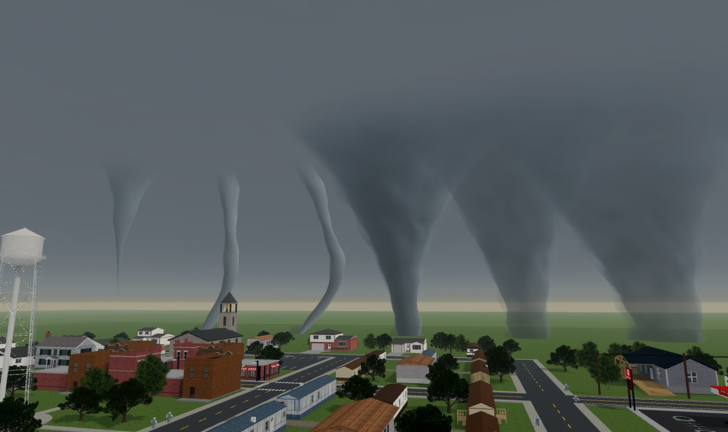
Tornado Ragdoll Sandbox already gives you EF funnels, ragdoll physics, and explosives. Memorable clips come from camera discipline, not from mashing every tool at once. This guide is for solo sessions (maxPlayers 1) on place 70836134327501 (universe 10774206020) by GoandLive_StayandDie. You are director, camera operator, and VFX lead in the same server — so treat every take as a short film, not a stress test.
Play on the official page: Tornado Ragdoll Sandbox. Warm up with Getting Started and Controls if the HUD still feels new.
Camera homes beat random pans
A camera home is a fixed spot you return to before every spawn: a raised lip, an overlook, or a distant pad with a clear sightline. Scout homes using the Map Guide mindset — open lots for EF3+, dense yards for comedy EF0–EF1.
Build the habit:
- Walk the pocket with no tools for thirty seconds.
- Mark one primary home and one backup if debris blocks the view.
- Rehearse the pan from home to the stage without spawning anything.
- Only then place dummies and open the tornado spawner (Spawn Tornadoes).
Standing inside the funnel “for immersion” kills readability. Pull back until the full column and at least one dummy arc fit in frame.
Short takes win more often
Long unbroken EF5 recordings look muddy and hitch more. Prefer eight-to-twenty-second takes with a clear beginning, middle, and cut:
| Beat | What the viewer should see |
|---|---|
| Establish | Spout visible, props idle |
| Commit | First dummy or vehicle lifts |
| Punctuate | Optional single boom from a weapons pick |
| Hold | Two seconds of aftermath |
| Cut | Reset before the joke dies |
Stack three clean shorts into a montage outside Roblox instead of one five-minute mush. Chaos timing recipes live on Chaos Combos.
Choose EF ranks for readability
Bigger is not automatically better on camera. Match intensity to the joke using the Tornado tier list and the EF Scale tool:
- EF0–EF1 — comedy lifts, mobile heat control, dense yards
- EF2–EF3 — daily hero clips; EF3 is often the sweet spot
- EF4–EF5 — staged finales on wide open lots only
If limbs leave the frame in under a second, drop a rank or move the spout farther from the camera home. Panic EF5 without staging reads as a reset button, not a highlight.
Stage before you spawn
Never confirm a high EF rank on an empty pad and hope. Pre-place the cast:
- Three to eight ragdoll dummies in a shallow arc aimed at the camera home.
- Optional: one light vehicle as the hero prop.
- Lock zoom and home position.
- Spawn the funnel upwind or off-axis so motion enters the frame.
- Fire one explosive only after lift begins — see Chaos Combos and the Weapons tier list.
Changing EF rank, boom tool, and camera angle in the same take teaches nothing. Change one variable per retry.
Mobile vs PC filming
Both clients can ship great clips; the workflow differs.
PC strengths
- Finest placement clicks for EF4/EF5 finales
- Easier tool swaps mid-take (Controls)
- Better for twin mid-tier shear patterns once you are advanced
Mobile strengths
- Fast iteration on short comedy takes
- Natural for EF1–EF2 daily drivers
- Forces you to keep scenes small — often a readability win
Mobile watch-outs
- Fat-finger spawns near prop piles wipe staging
- Tighter FOV hides arcs — zoom out before confirm
- Heat and battery favor shorter sessions and denser yards over endless EF5 spam
Console players should lean on comfortable right-stick orbits from a locked camera home; confirm EF intensity deliberately before placing.
Export and review tips
Roblox capture, device screen record, or an external recorder all work. After each block of takes:
- Watch at 1x without editing — if you cannot explain the joke in one sentence, simplify the next setup.
- Keep the best two clips per pocket; delete the rest so you do not hoard noise.
- Note which EF rank and pocket produced the cleanest frame; reuse that pairing tomorrow (Map Guide).
- Recheck Updates after maintenance windows so camera homes still exist — see November 2026 for launch context.
You do not need promo codes or scripts to film. Codes remain inactive for now (Codes); third-party scripts are optional risk (Scripts) and unrelated to clip quality.
One-hour clip farm plan
| Block | Focus |
|---|---|
| 0–10 min | Scout two homes + stage dummies (Map Guide) |
| 10–25 min | EF2 short takes, no explosives (Spawn Tornadoes) |
| 25–40 min | Same pocket + one delayed boom (Chaos Combos) |
| 40–50 min | EF3 hero lane or mobile EF1 comedy set |
| 50–60 min | Single staged EF4/EF5 finale if the lot is wide enough |
Log the winning EF + pocket pair. That note beats raw destruction count.
Myths that waste film time
- “Friends must hold the camera” — the place is solo; set a home and rehearse alone.
- “EF5 every take” — readable EF3 usually outperforms panic wedges.
- “More explosives = better clip” — one timed boom beats five overlapping flashes.
- “Codes unlock cinematic mode” — no verified official codes as of mid-November 2026.
Sibling links
- Getting Started — first-hour loop
- Controls — device inputs
- Spawn Tornadoes — EF workflow
- Chaos Combos — staged recipes
- Map Guide — pockets and routes
- Tornado tier list — which funnel to pick
- Weapons tier list — boom tool roles
- EF Scale tool — intensity primer
- Updates / November 2026 — patch context
- Guides Hub — full index
Pick the pocket, lock the camera home, stage the cast, then spawn. Clips improve the moment you stop treating the sandbox like a button mash and start treating it like a set.
Frequently Asked Questions
Quick answers about tornadoes, ragdolls, and sandbox chaos.
What is a camera home in Tornado Ragdoll Sandbox?
A fixed overlook or pad you return to before every spawn so framing stays consistent. Scout it with the Map Guide before tools come out.
How long should each clip take be?
Aim for roughly eight to twenty seconds with establish, commit, optional boom, hold, then cut. Montage several shorts instead of one muddy marathon.
Which EF rank looks best on camera?
EF2–EF3 for most hero clips. EF0–EF1 for comedy and mobile. Save EF4–EF5 for staged finales on wide open lots.
Can friends join my server to help film?
No. The experience is solo with maxPlayers 1. Rehearse pans yourself, then share the finished clip outside the place.
Do I need codes or scripts for better recordings?
No. Official tornado, ragdoll, and explosive tools are enough. Codes are inactive for now, and scripts are optional third-party risk.
Should I film differently on mobile than on PC?
Yes. Mobile favors shorter EF1–EF2 takes and denser yards; PC handles precise EF4/EF5 finales better. Both need a locked camera home.